Enterprise Wi-Fi Infrastructure in Cebu City: What Makes a Business Network Reliable?
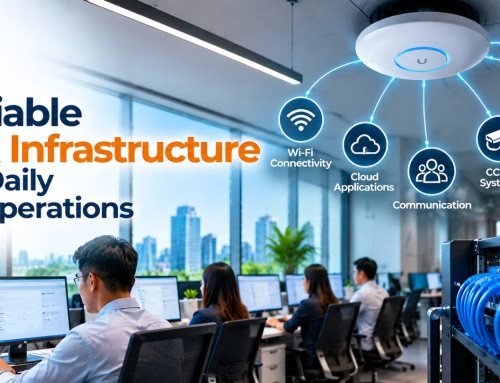
Reliable Wi-Fi is now part of the core infrastructure of modern businesses. Offices depend on it for cloud applications and collaboration, hotels need it for guests and operational systems, restaurants rely on connected POS terminals, and commercial properties increasingly operate multiple IP-based devices on the same network.
For businesses in Cebu City, building a reliable enterprise wireless network is not as simple as subscribing to a faster internet plan or adding more access points.
A dependable network requires the right combination of wireless coverage, user capacity, structured cabling, network switching, security, internet connectivity, monitoring, and system integration.
For hospitality properties in particular, effective hotel Wi-Fi solutions must support guest expectations while also providing a stable foundation for day-to-day hotel operations.
What Is Enterprise Wi-Fi Infrastructure?
Enterprise Wi-Fi infrastructure is a professionally planned wireless network designed to support more users, devices, applications, and security requirements than a typical residential Wi-Fi setup.
A complete business network may include:
Enterprise wireless access points
Network switches
Routers and firewalls
Structured copper cabling
Fiber optic backbone connections
Internet gateways
Network controllers
Employee Wi-Fi
Guest Wi-Fi
Network segmentation
Monitoring tools
Backup connectivity
Power protection for critical equipment
The access point is only one component.
The experience of employees, guests, and connected devices depends on the entire infrastructure behind it.
Businesses planning a wireless deployment can explore Above Infranet’s Data and Wireless Network solutions as part of a broader business connectivity strategy.
What Makes a Business Wi-Fi Network Reliable?
A reliable enterprise network should provide usable connectivity in the areas where people need it while maintaining enough capacity for the users, devices, and applications connected to it.
Several factors determine whether that happens.
Reliable Wireless Coverage
The Wi-Fi signal needs to reach the areas where employees, customers, and operational devices connect.
These may include:
Workstations
Meeting rooms
Hotel guest rooms
Hotel corridors
Lobbies
Restaurants
Function rooms
Reception areas
Warehouses
Outdoor commercial spaces
Coverage should be based on actual building conditions rather than assumptions.
Enough Capacity for Users and Devices
Strong signal does not always mean strong performance.
An access point can show excellent signal strength while still becoming congested when too many users or devices connect at the same time.
High-density environments may include:
Hotel lobbies
Conference rooms
BPO offices
Training rooms
Function spaces
Restaurants
Schools
Coworking facilities
Enterprise network design should therefore consider coverage and capacity separately.
Access Point Placement Should Be Planned, Not Guessed
Wireless access points need to be positioned according to the property layout and expected usage.
Wi-Fi performance can be affected by:
Concrete walls
Floors
Glass partitions
Furniture
Metal structures
Elevators
Equipment rooms
Building dimensions
Nearby wireless networks
An access point installed in the most convenient location may not be in the best location for wireless performance.
Before installation, businesses should review:
Building layout
Number of users
Device density
Required coverage areas
High-traffic zones
Existing wireless networks
Possible interference
Cabling routes
Network switch locations
This helps reduce dead zones, unnecessary overlap, and performance problems caused by poor placement.
Reliable Wi-Fi Starts With Structured Cabling
Although users connect wirelessly, enterprise access points still depend on wired infrastructure.
That makes structured cabling one of the foundations of reliable Wi-Fi.
The network may include:
Ethernet cabling
Patch panels
Network racks
Managed switches
Fiber optic links
Proper cable management and labeling
Poor, damaged, or outdated cabling can limit performance even when new wireless equipment is installed.
Businesses planning a wireless upgrade should therefore assess whether their existing cabling can support current and future requirements.
Hotels have particularly demanding wireless environments because the network often supports both guests and hotel operations.
A hotel may require connectivity across:
Guest rooms
Corridors
Lobbies
Restaurants
Function rooms
Front desk areas
Administrative offices
Staff areas
Outdoor guest spaces
At the same time, the network may support business-critical systems.
This means hotel Wi-Fi solutions need to be planned as part of the property’s overall hospitality technology infrastructure.
What Is Hotel High-Speed Internet Access?
Hotel high-speed internet access refers to the network infrastructure and internet service used to provide connectivity throughout a hospitality property.
It may need to support:
Guest smartphones
Laptops
Tablets
Video streaming
Online meetings
Hotel applications
POS terminals
Front-desk systems
Staff devices
Smart hotel technologies
Providing high-speed internet does not simply mean buying a larger internet package.
The hotel must also have enough internal network capacity to distribute that bandwidth throughout the property.
Reliable Hotel Internet Depends on More Than Internet Speed
Hotels sometimes focus on the speed advertised by the internet provider.
But reliable hotel internet also depends on the local network.
A faster internet plan cannot fully solve problems caused by:
Poor access point placement
Insufficient wireless capacity
Weak structured cabling
Limited switching infrastructure
Wireless interference
Incorrect network configuration
Effective hotel internet solutions therefore need to consider both the internet connection and the network architecture inside the property.
Wi-Fi for Hotels Should Support Different Types of Users
A hotel may have several types of users and systems connected at the same time.
Guests
Guests may use Wi-Fi for:
Messaging
Social media
Remote work
Video calls
Streaming
Travel applications
Hotel Staff
Employees may depend on connectivity for:
Front-desk operations
Internal communication
Property management
Mobile staff devices
Administrative applications
Operational Systems
The same property may also use its network for:
POS terminals
CCTV
IP telephony
Smart hotel devices
Access control
Hotel management software
Other IP-based systems
Because these users have different requirements, Wi-Fi for hotels should be planned with appropriate network separation and access policies.
In-Room High-Speed Internet Needs Consistent Coverage
Guest rooms can be challenging wireless environments.
An access point in a corridor may provide excellent connectivity close to the room entrance but weaker performance deeper inside the room.
Signal quality can be influenced by:
Concrete walls
Bathroom walls
Furniture
Room doors
Floor construction
Nearby access points
For in-room high-speed internet, hotels should assess actual room coverage instead of assuming corridor coverage is sufficient.
Room layout and construction should be part of the wireless design process.
Premium Guest Internet Access Is About Consistency
A property offering premium guest internet access should focus on reliable and consistent performance rather than marketing speed alone.
Guests generally expect:
Simple connectivity
Stable coverage
Adequate bandwidth
Reliable video calls
Smooth browsing and streaming
Connectivity in rooms and common areas
For hotels, Wi-Fi can directly influence the guest experience.
That makes reliable wireless infrastructure an operational consideration—not simply an optional amenity.
How Wi-Fi Supports a Hospitality Management System
Hotel Wi-Fi increasingly operates alongside other hospitality technologies.
A hospitality management system may support or connect with:
Reservations
Guest profiles
Room management
Front-desk operations
Billing
Housekeeping
POS
Access control
A hotel property management system may rely on the hotel’s LAN, internet connection, or cloud connectivity depending on its architecture.
This makes network reliability important for both guests and hotel employees.
Why Hotel Property Management Depends on Reliable Connectivity
Modern hotel property management increasingly relies on connected software and devices.
When the underlying network becomes unstable, hotel staff may experience difficulty accessing:
Reservations
Room information
Guest records
Reports
Cloud applications
Connected hotel systems
The exact requirements depend on whether the hotel property management system is cloud-based, locally hosted, or deployed through another architecture.
The important principle is that business-critical applications should be considered during network planning.
What Is System Integration in Enterprise Networking?
System integration involves planning different technologies so they can operate within a coordinated infrastructure.
A modern commercial network may support:
Wi-Fi
CCTV
PABX or VoIP
Access control
Hotel software
POS
Servers
Storage systems
IoT devices
Working with a system integrator in Cebu can help businesses look at these technologies as parts of a larger infrastructure rather than treating every system as a completely separate project.
This becomes increasingly important as more business systems operate over IP networks.
Common System Integration Methods
Different system integration methods may be appropriate depending on the technologies and property requirements.
Network Segmentation
Different users and systems may be separated into logical network segments.
For example:
Employee network
Guest network
CCTV network
POS network
Management network
IoT network
Structured Cabling
A standardized structured cabling system provides organized physical connections between network equipment and devices.
Managed Switching
Managed network switches allow administrators to control how devices and network segments connect.
Fiber Backbone Connections
Fiber can be used to connect floors, buildings, equipment rooms, or other high-capacity sections of the network.
Centralized Monitoring
Where supported, centralized monitoring can help administrators track network devices, connectivity, and performance.
System integration should always consider compatibility, security, business requirements, maintenance, and future expansion.
Why Network Segmentation Matters
Putting every employee, guest, camera, POS terminal, and device on one unrestricted network can create management and security problems.
The appropriate segmentation depends on the business.
The purpose is to provide each user or system with the connectivity it needs without unnecessarily exposing every device to every other part of the network.
Where Storage Infrastructure Fits Into the Network
Some businesses also maintain local or hybrid storage infrastructure.
This may include:
Network-attached storage
Business servers
Backup systems
CCTV recording storage
File repositories
Storage-related workloads can generate significant network traffic.
For example:
CCTV recordings
Business backups
Large file transfers
Media storage
Shared corporate files
Enterprise network planning should therefore consider both wireless traffic and wired data workloads.
A network should be sized around actual business activity—not just the number of Wi-Fi users.
Fiber Infrastructure for Larger Business Networks
For large commercial properties, fiber optic infrastructure can provide backbone connectivity between major network locations.
Fiber may be useful for connecting:
Different floors
Separate buildings
Equipment rooms
Large commercial areas
Long-distance network segments
A larger enterprise network might follow this structure:
The appropriate architecture depends on distance, bandwidth requirements, endpoints, existing infrastructure, and future expansion.
Business Wi-Fi Security Should Be Built Into the Design
Network security should be considered from the beginning of an enterprise Wi-Fi project.
Businesses should evaluate:
Secure wireless authentication
Strong administrator credentials
Guest network separation
Network segmentation
Firewall policies
Device access controls
Firmware maintenance
Monitoring
Password management
Physical security of network equipment
No single security feature is enough on its own.
Security should be based on the organization’s actual systems, users, and operational risks.
Redundancy Can Help Reduce Network Disruptions
Businesses that depend heavily on connectivity may also need to consider redundancy.
Depending on operational requirements, this can include:
Secondary internet connectivity
Backup networking equipment
UPS systems
Backup power
Redundant network links
Documented recovery procedures
Not every company needs the same level of redundancy.
A small office may have very different requirements from a hotel, BPO operation, healthcare facility, or large commercial property.
The appropriate design should reflect the operational impact of an outage.
Network Monitoring Helps Maintain Reliability
Enterprise networks should not simply be installed and forgotten.
Depending on the network equipment and management platform, administrators may be able to monitor:
Access point availability
Connected users
Bandwidth consumption
Switch status
Device availability
Network interruptions
Traffic patterns
Monitoring can make troubleshooting easier and help businesses identify capacity or equipment problems before they cause larger disruptions.
What Cebu Businesses Should Check Before Building Enterprise Wi-Fi
Before selecting hardware, businesses should assess several areas.
Property Requirements
Ask:
How many floors are there?
What materials are used in walls and floors?
Are there multiple buildings?
Which areas require wireless coverage?
User Requirements
Determine:
How many employees connect?
How many guests may connect?
Where are the high-density areas?
What happens during peak periods?
Connected Devices
Consider:
Laptops
Smartphones
Tablets
POS terminals
IP phones
CCTV cameras
IoT equipment
Servers
Existing Infrastructure
Review:
Structured cabling
Network racks
Switches
Routers
Firewalls
Fiber backbone
Internet connectivity
Backup power
Business Applications
Determine whether the network supports:
Cloud software
Hospitality management systems
Hotel property management systems
POS
Video conferencing
CCTV
VoIP
File storage
Guest internet
Future Growth
Consider:
Additional employees
New hotel rooms or office areas
Additional branches
More CCTV cameras
More connected devices
Higher guest traffic
Enterprise Wi-Fi should meet current requirements while leaving reasonable room for future growth.
Frequently Asked Questions About Enterprise Wi-Fi in Cebu City
What makes enterprise Wi-Fi different from regular Wi-Fi?
Enterprise Wi-Fi is designed to support larger numbers of users, devices, applications, and security requirements. It normally includes multiple managed access points, structured cabling, network switching, segmentation, security controls, and centralized management.
What makes hotel Wi-Fi reliable?
Reliable hotel Wi-Fi depends on proper access point placement, adequate network capacity, structured cabling, switching, stable internet connectivity, security, and suitable separation between guest and operational traffic.
Is faster internet enough to fix poor hotel Wi-Fi?
Not always. More internet bandwidth may help when the ISP connection is the bottleneck, but it will not fix weak wireless coverage, overloaded access points, poor cabling, interference, or incorrect network configuration.
Should hotels separate guest and staff Wi-Fi?
For many hotel environments, separating guest traffic from internal operational systems is a sensible network design practice. The exact configuration should be based on the property’s security, technology, and operational requirements.
Can Wi-Fi support a hotel property management system?
Yes, depending on the specific PMS and its deployment architecture. The network supporting the system should be reliable, appropriately secured, and designed around the platform’s requirements.
Does a large hotel need fiber optic infrastructure?
Not in every situation. However, fiber can be useful for connecting multiple floors, buildings, network rooms, or other areas requiring longer-distance or higher-capacity backbone links.
Why work with a system integrator for enterprise networking?
A system integrator can help coordinate networking, Wi-Fi, structured cabling, fiber, CCTV, communications, access control, servers, storage, and hospitality technology as parts of a larger infrastructure.
Build the Network Around the Business
Reliable enterprise Wi-Fi is not determined by a single access point, router, or internet subscription.
It comes from the entire infrastructure working together:
Access Points + Structured Cabling + Switching + Routing + Security + Internet Connectivity + System Integration + Monitoring
For hotels, the same principle applies to hotel Wi-Fi solutions.
Guest connectivity, hotel high-speed internet access, operational systems, in-room high-speed internet, and the hotel property management system should be considered as parts of a larger technology environment.
Businesses in Cebu City planning a new office, hotel, commercial facility, or network upgrade can explore Above Infranet’s related infrastructure solutions:
Above Infranet Solutions Inc. helps businesses plan network, communication, security, and systems-integration infrastructure around their actual operational requirements.
A reliable enterprise network starts by understanding the property, users, applications, and connected systems before choosing the equipment.